What you’ll learn
- What social media optimisation is, and why followers aren't the goal
- Audit your profiles first: a two-hour checklist
- Optimise your profile so a customer can contact you in one tap
- What decides who sees your posts on each platform
- Captions and hashtags that help people find your posts
- Reply to comments and messages before the customer moves on
Social media optimisation means changing your profiles and posts so the right people find them and message you. Most of it is free, and you can do it before you spend a dollar on ads.
This guide gives you 12 fixes for Instagram, Facebook, TikTok, LinkedIn and YouTube, a checklist to run them in about two hours, and a way to count what they bring in. Every limit and setting comes from the platform's own help pages, read on 5 November 2026.
If you'd rather hand the posting over, our social media team writes and posts for you. The social media management plans start at S$500 a month.
What social media optimisation is, and why followers aren't the goal
Social media optimisation (SMO) is the work of improving your social profiles, posts and replies so more of the right people find your business and contact you. It covers your bio and contact buttons, your captions and hashtags, the video format you use and how fast you answer messages, all aimed at getting more enquiries.
Hootsuite's guide (updated 28 August 2026) splits SMO into four types and measures it mostly in reach, engagement rate and follower growth. That suits a brand with a big audience. A tuition centre or renovation firm in Singapore needs something narrower. People nearby who are ready to buy should find you, see your price and message you in one tap.
SMO is also different from SEO. SEO works on your website so it ranks in Google. SMO works inside the apps, where people now search too. The two meet in one place: Google can index public posts from professional Instagram accounts, which we cover in fix 8.
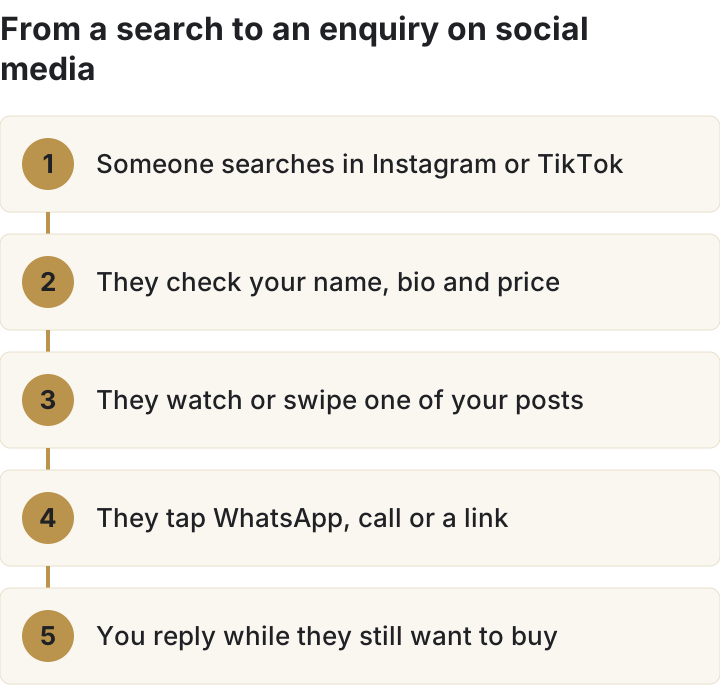
Audit your profiles first: a two-hour checklist
Open every profile you own on your phone, as a customer would. Go down this list and tick what's done. Most rows take minutes to fix.
| # | Check | Done when |
|---|---|---|
| 1 | Professional account on Instagram and TikTok | Insights and contact options show on both |
| 2 | Name and bio say what you sell and where | A stranger can tell your trade and area in one line |
| 3 | One-tap contact | A WhatsApp or call button works on every profile |
| 4 | Hours and address | Facebook hours are set and the map pin is on your door |
| 5 | Links in bio | The first link goes to prices or booking, tagged for tracking |
| 6 | A price cue | A pinned post or highlight shows a starting price or packages |
| 7 | Search terms | You've listed the words customers type in the app search bar |
| 8 | Google indexing | The Instagram setting that lets search engines show your posts is on |
| 9 | Captions and hashtags | Each caption names the service; no more than 5 hashtags, in the caption |
| 10 | Original short video | Reels under 3 minutes, no other app's watermark |
| 11 | Alt text and on-screen captions | Images have written descriptions; videos have subtitles |
| 12 | Replies | Every message and comment from the last 30 days has an answer |
Then check two competitors the same way. Note what's on their profile that isn't on yours: a price, a WhatsApp button, reviews in a highlight. That gap list is your to-do list. Hootsuite and Socialinsider both start with an audit for the same reason: you can't tell what a change did without a before picture.
Need help with your social media? See our social media service and prices.
Book a call ›Optimise your profile so a customer can contact you in one tap
Your profile is where a buyer decides whether to message you. They want to know what you do and where you are, when you're open, and how to reach you. Fixes 1 to 6 cover that.
Fix 1: switch to a professional account
On Instagram, a professional account (Business or Creator) gives you Insights and a Contact button, plus a category label under your profile picture. Instagram suggests Business for retailers, local businesses and service providers. One trade-off: a professional account can't be private.
On TikTok, a Business Account is free. TikTok says it adds content insights plus contact information and a website link on your profile. Switch it in Settings, under Account.
Fix 2: put your trade and area in your name and bio
Instagram's search matches what people type against usernames, bios, captions, hashtags and places. Instagram's own advice is to use a profile name related to your content. If you're a local business, it says to add keywords and your location to your bio. Take a made-up example. "Lim's Kitchen" tells a searcher nothing, while "Lim's Kitchen | Halal catering Tampines" matches two things people search for.
Fix 3: give every profile a one-tap way to reach you
| Platform | What to add | Where |
|---|---|---|
| Contact button with directions, phone and email; a linked WhatsApp Business number; one action button, linked to a booking partner or a lead form | Edit profile | |
| Facebook Page | An action button, plus your WhatsApp Business number connected to the Page | Page, Options, Add action button; Page settings for WhatsApp |
| TikTok | Contact details and a website link | Business Account profile |
| LinkedIn Page | A custom call-to-action button with any URL you choose | Page super admin view |
Two caveats from the help pages. Instagram's action buttons are still rolling out and depend on partners, so you may not see them yet. On LinkedIn, the custom button sits at the top of your Page only with a Premium Company Page; without it, members find it under More.
If customers already message you on WhatsApp, make that the button. Connecting your Page to WhatsApp also lets you run ads that open a WhatsApp chat. Our Meta Business Suite guide shows how to answer Facebook, Instagram and WhatsApp messages from one inbox.
Fix 4: set your hours and pin your address
Facebook sets your Page's time zone from your location, so check that the map pin sits on your actual address before you add hours. Use the same address, number and hours as your Google Business Profile. Two sets of hours make a customer stop and check, and some won't bother.
Fix 5: make your first link the page that answers "how much?"
Instagram lets you add up to five websites to your profile. Put the page that shows prices or takes bookings first. Your homepage can sit further down. Tag each link so you can count the visits it sends (fix 12 and the measurement section explain how).
Fix 6: show a starting price
This fix is our own advice; no platform rule covers it. The first question most buyers ask is the price, so answer it before they have to. If you can publish a "from" price or your packages, put them in a pinned post or a Story Highlight called Prices. If you can't, say what the price depends on and how fast you quote.
Get found when people search Instagram, TikTok and Google
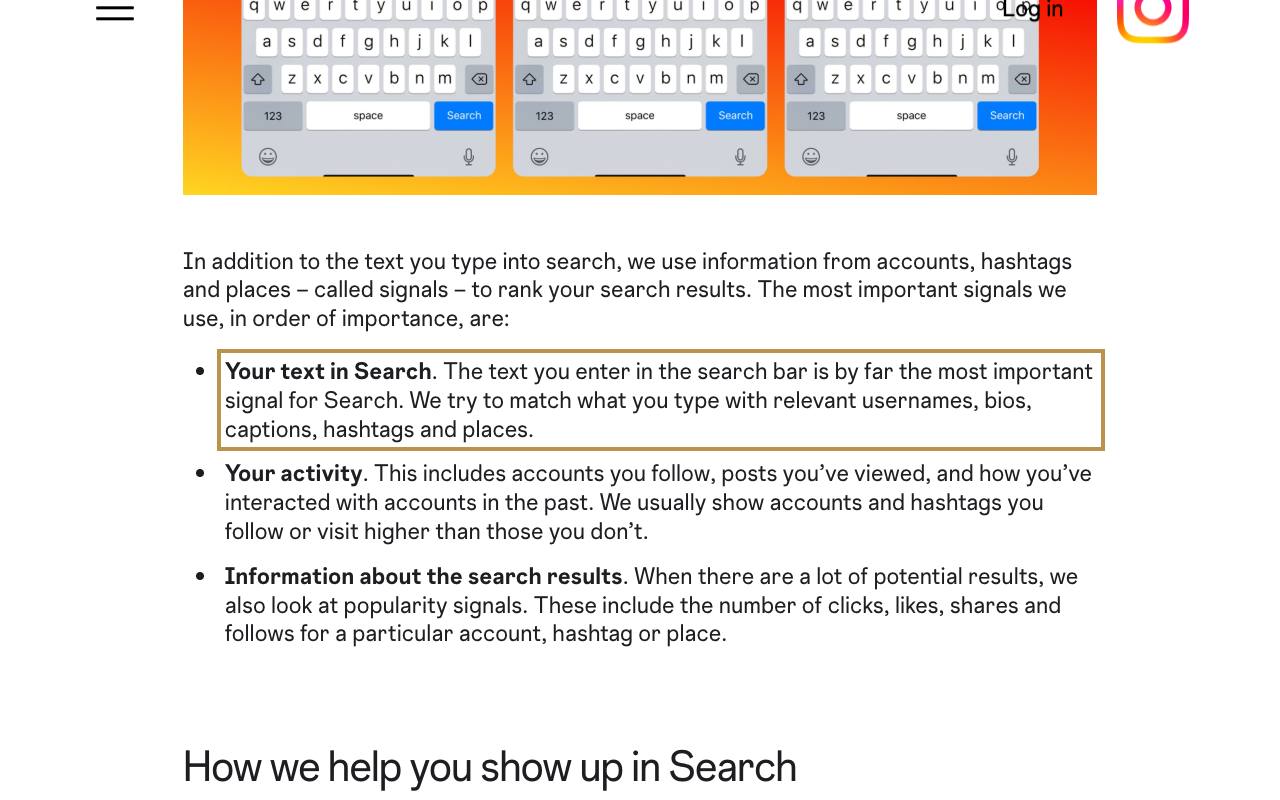
People search inside the apps for a cafe, a mover or a hair salon near them. Instagram says the text someone types is "by far the most important signal" for its search results. So the words on your profile and in your captions decide whether you show up.
Fix 7: collect the words your customers search
Start typing your service into the Instagram and TikTok search bars and note what the apps suggest. On TikTok, search for "Creator Search Insights" inside the app. TikTok says it shows topics people search for, flags topics that lack content, and reports how your posts perform in search. Some of its topics are AI-generated, and TikTok warns they can be wrong, so sense-check each one. Our social media keyword research guide goes deeper.
Fix 8: let Google show your Instagram posts
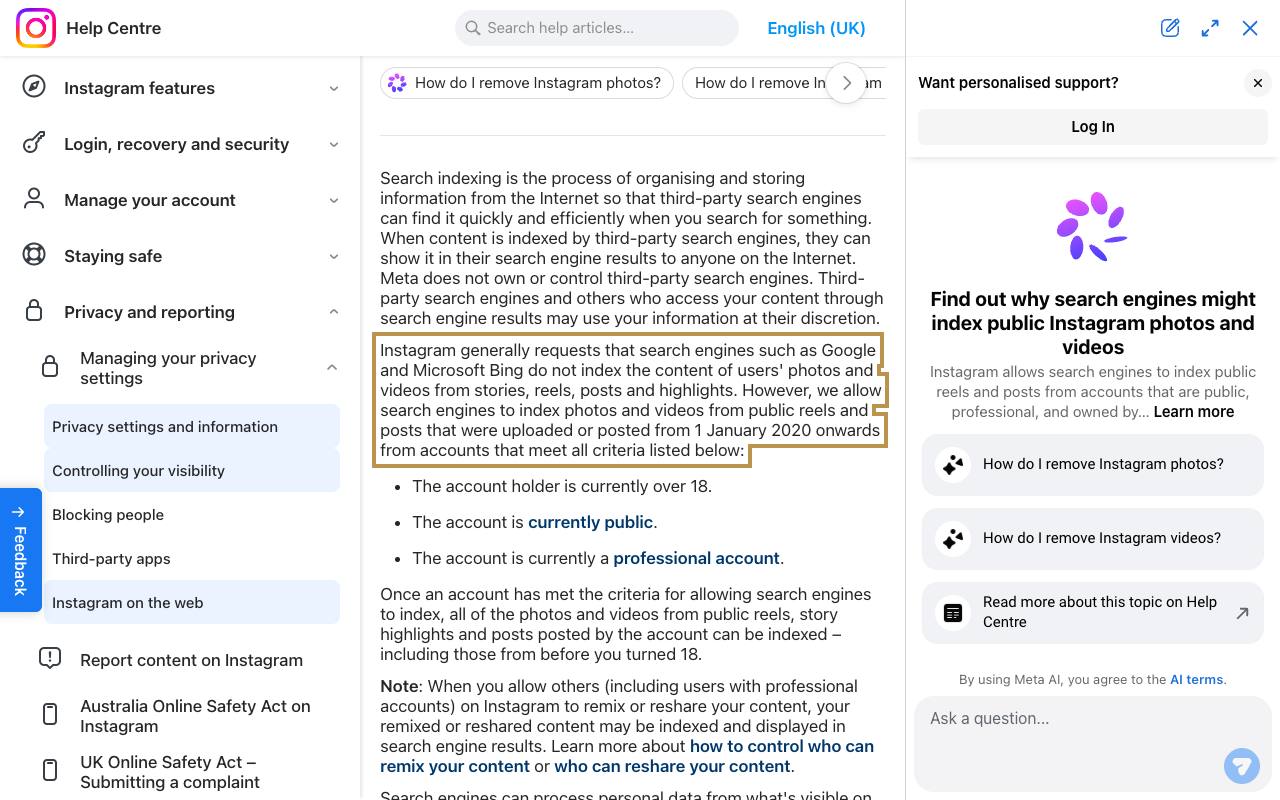
Instagram lets Google and Bing index photos and videos from public reels and posts uploaded from 1 January 2020 onwards. The account has to be a public professional account, owned by someone over 18. You can turn this off in your account privacy settings. For a business that wants to be found, check it's on.
Your username, profile picture and bio can show up in Google results too. That's one more reason fix 2 matters: your bio may be the first line a Google searcher reads about you.
What decides who sees your posts on each platform
Every platform publishes some of how its feed works. None publishes the weights. This table sums up what each says on its own pages, with what that means for a small business.
| Platform | What it says it looks at | What to change |
|---|---|---|
| Instagram Feed | Scores about 500 posts from accounts you follow; predicts whether you'll swipe a whole carousel, send a post to someone, or spend time on the author's profile | Carousels and how-to posts people send to a friend |
| Instagram Reels | Recommends reels of 3 minutes or less; less likely to recommend reposts or watermarked video | Short, original video shot for Instagram |
| Facebook Feed | Who posted, how you've interacted with them, the post type, how many friends liked it; scores about 500 posts and mixes formats | Vary formats; reply to comments so people interact again |
| TikTok For You | Likes, shares, follows, comments, watching to the end; captions, sounds and hashtags; follower count isn't a direct factor | A hook early and a video people finish |
| YouTube search | Relevance (title, tags, description, video content), engagement such as watch time for that search, and quality | Titles and descriptions that use the words people search |
| Shows Top posts by default, personalised to each member's interests and activity | Post on topics your buyers follow; ask staff to share |
"While a video is likely to receive more views if posted by an account that has more followers, by virtue of that account having built up a larger follower base, neither follower count nor whether the account has had previous high-performing videos are direct factors in the recommendation system." TikTok Newsroom, read 5 November 2026
That's good news for a small account. On TikTok a new business can reach people who've never heard of it, if the video holds them. Our guides to the Instagram algorithm and TikTok algorithm go deeper. So do the ones on the YouTube algorithm and getting on TikTok's For You page.
Fix 10: post original, short video
Instagram says a reel must be 3 minutes or less to be recommended, and that it's less likely to recommend reposts or video with a noticeable watermark. If you film on TikTok and repost to Instagram, export a clean copy first. Instagram's Account Status screen also tells you whether your account can be recommended to non-followers, and what to fix if it can't.
YouTube works more like a search engine: it matches your title, tags and description, plus the video itself, to what people type, then checks watch time for that search. Our guide to SEO for YouTube covers titles and descriptions.
Captions and hashtags that help people find your posts
Fix 9: name the service in the caption, and keep hashtags to five
Instagram's advice for search is plain. Keywords and hashtags go in the caption, because that's where search reads them. Name the service and the area in the first line, the way a customer would say it. For example, "Aircon chemical wash in Woodlands, from our job this week" gives search more to match than "Another happy customer!".
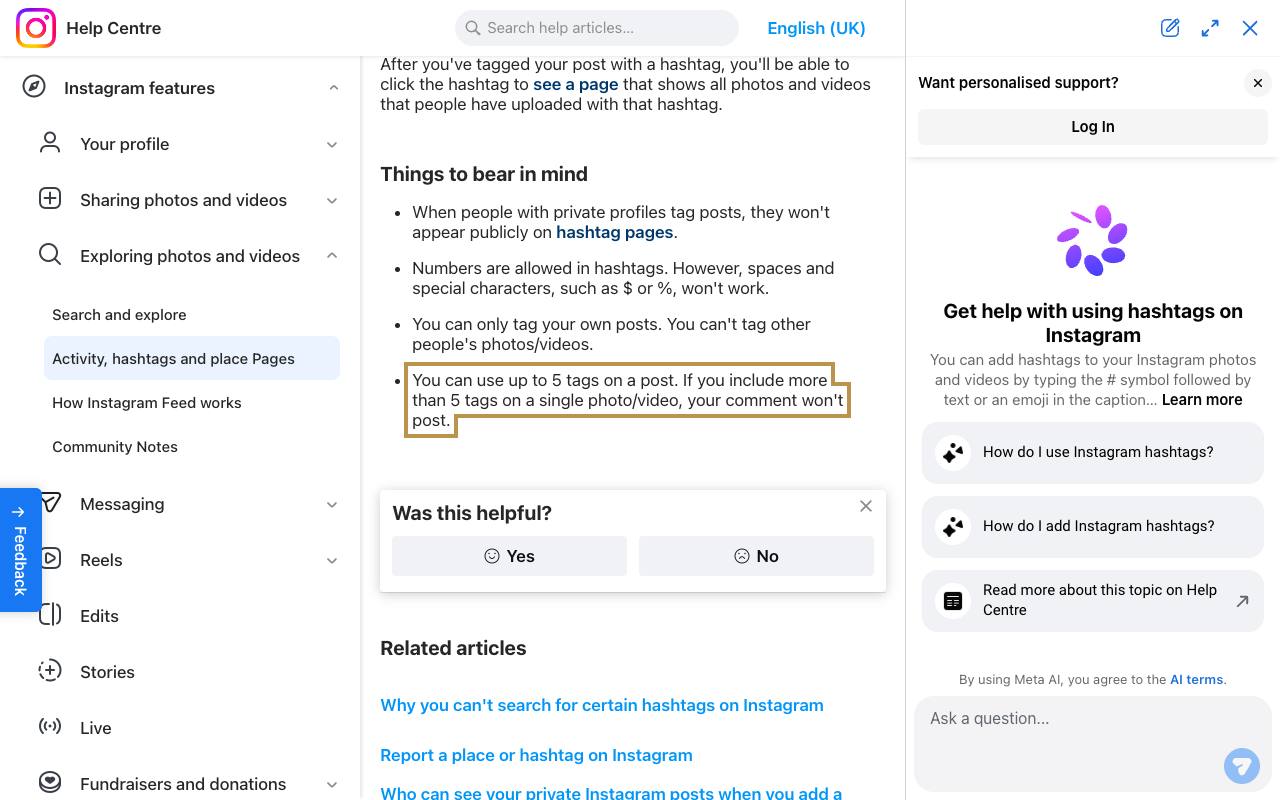
Instagram's help centre says you can use up to 5 hashtags on a post. Add more and the comment won't post. Many older guides still quote 30, so check yours before you copy a hashtag list. Hashtags can't contain spaces or symbols such as $ or %. TikTok says it reads captions and hashtags too, so the same habit works there.
Fix 11: add alt text and on-screen captions
Instagram writes automatic alt text for photos using object recognition. You can replace it with a better description before or after you post. Instagram notes that only screen readers read it, so write it for a person who can't see the image: "Two-tier wedding cake with gold leaf, on our counter".
Add subtitles to any video with speech, so people can follow it with the sound off. Use the sizes in our social media image sizes guide so the apps don't crop your text.
Reply to comments and messages before the customer moves on
Fix 12: answer everything, then check your response rate
A message is the enquiry. If it sits for two days, the work you did on fixes 1 to 11 is wasted. Turn on notifications for the inbox you actually check. Answer comments that ask a question. Move pricing talk or complaints to a private message.
Meta Business Suite's Insights has a Messaging view. It shows how many profiles messaged your business, new and returning contacts, orders and leads from conversations, and your response rate and response time. Check it monthly. Replying also helps reach: Facebook ranks posts partly on how people have interacted with the poster before. Our Instagram engagement guide has more on comments.
Count enquiries, not likes: how to measure what your posts bring in
Likes tell you a post was seen, but they say nothing about sales. Track these four numbers every month instead.
| What to count | Where to find it |
|---|---|
| Messages from new contacts | Meta Business Suite, Insights, Messaging; your WhatsApp Business chats |
| Website visits from each platform | Google Analytics, using links tagged with UTM parameters |
| Taps on your bio link, call, text, email and directions buttons | Profile activity in each Instagram post's insights; account insights cover any period in the last 90 days |
| Enquiries that mention social | Ask every new customer "how did you find us?" and log the answer |
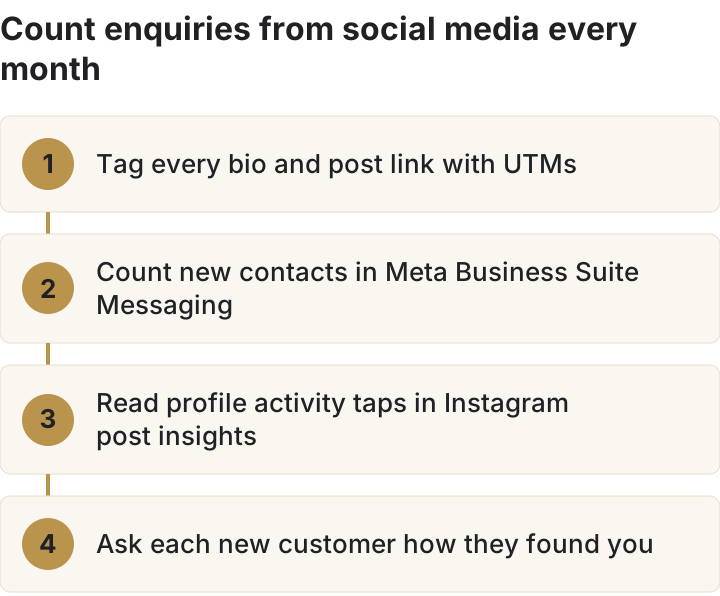
UTM tags are short labels you add to the end of a link. Google's guide recommends a separate utm_source for each platform, such as fb for Facebook and insta for Instagram, plus utm_medium and utm_campaign. Values are case sensitive, so pick one spelling and keep it. Instagram Insights also splits reach between followers and non-followers. If non-follower reach climbs after fixes 7 to 10, search and recommendations are finding you.
Change one thing at a time and leave it for a month. If you change the bio and the format in the same month, you won't know which one worked. Rerun the 12-row checklist once a quarter.
Frequently asked questions about social media optimisation
What does SMO stand for?
Social media optimisation (or optimization in US spelling). It means improving your profiles, posts and replies so more of the right people find you and get in touch.
Is social media optimisation the same as SEO?
No. SEO improves how your website ranks in Google. SMO improves how your profiles and posts show up inside the apps and in their search. They overlap where Google indexes public posts from professional Instagram accounts.
How many hashtags should I use on Instagram?
Up to 5, which is the most Instagram's help centre allows on a post when we read it on 5 November 2026. Put them in the caption, and pick ones that describe the post.
Do Instagram posts show up on Google?
They can. Instagram lets search engines index public posts and reels from 1 January 2020 onwards from public, professional accounts run by someone over 18. You can switch it off in your privacy settings.
Does follower count affect reach on TikTok?
Not directly. TikTok says follower count and past hit videos aren't direct factors in For You recommendations. Bigger accounts get more views because more people follow them.
Should I optimise my profiles before running ads?
Yes. An ad sends people to your profile or chat. If the profile has no price or WhatsApp button, you pay for the click and lose the enquiry. Once the profile works, our Facebook and Instagram ads team can send it more traffic.
How much does it cost to have someone run your social media?
You can do all 12 fixes yourself. The part most owners drop is posting every week. Our social media marketing team writes the captions, makes the graphics, posts for you and sends a monthly report, while you keep ownership of your accounts. Prices from our pricing page, read 5 November 2026:
| Plan | Posts a month, up to | 12-month plan, per month | Month to month |
|---|---|---|---|
| Lite | 4 | S$500 | S$714 |
| Bronze | 8 | S$1,000 | S$1,429 |
| Silver | 12 | S$1,500 | S$2,143 |
| Gold | 20 | S$2,000 | S$2,857 |
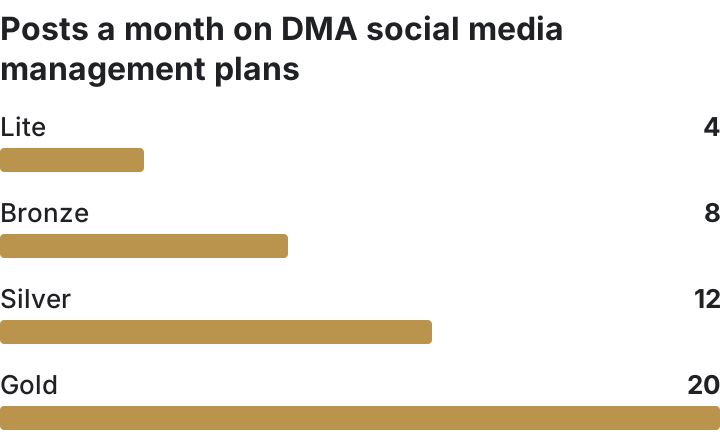
Every plan includes Facebook and Instagram setup if you need it. Silver and Gold add boosting. TikTok or LinkedIn costs S$50 more on Lite and S$150 more on Gold. Annual plans are paid up front, with no refund after 14 days. Comparing agencies? Read what to check before hiring a social media company, or see which social media platforms suit your business before you book a call.
Sources, read on 5 November 2026
- Instagram Help Centre, Use hashtags on Instagram: help.instagram.com/351460621611097
- Instagram Help Centre, Why search engines might index public Instagram photos and videos: help.instagram.com/147542625391305
- Instagram Help Centre, About professional accounts on Instagram: help.instagram.com/138925576505882
- Instagram Help Centre, Add an action button to your Instagram business account: help.instagram.com/1419650861499317
- Instagram Help Centre, Add a website to your Instagram profile: help.instagram.com/362497417173378
- Instagram Help Centre, Connect or disconnect your Instagram and WhatsApp accounts: help.instagram.com/1093295047789621
- Instagram Help Centre, Edit the alternative text for a post on Instagram: help.instagram.com/503708446705527
- Instagram Help Centre, View account and content insights on Instagram: help.instagram.com/1533933820244654
- About Instagram, Breaking down how Instagram search works: about.instagram.com
- Instagram for Creators, Tips for improving your reach: creators.instagram.com/blog/tips-for-improving-your-reach
- Meta Transparency Centre, Instagram Feed AI system: transparency.meta.com/features/explaining-ranking/ig-feed
- Meta Transparency Centre, Facebook Feed AI system: transparency.meta.com/features/explaining-ranking/fb-feed
- Meta for Developers, Instagram media insights (profile activity): developers.facebook.com
- Facebook Help Centre, Add an action button to your Facebook Page: facebook.com/help/977869848936797
- Facebook Help Centre, Add or change business hours on your Facebook Page: facebook.com/help/1623755557908631
- Meta Business Help Centre, How to connect or disconnect your Page and WhatsApp: facebook.com/business/help/1583303048513172
- Meta Business Help Centre, About Insights in Meta Business Suite on desktop: facebook.com/business/help/700570830721044
- TikTok Newsroom, How TikTok recommends videos #ForYou: newsroom.tiktok.com
- TikTok Support, Creator Search Insights: support.tiktok.com
- TikTok For Business, TikTok Business Account: ads.tiktok.com
- LinkedIn Help, Add a custom call-to-action button to your LinkedIn Page: linkedin.com/help/linkedin/answer/a5993422
- LinkedIn Help, Sort your feed by Top or Recent posts: linkedin.com/help/linkedin/answer/a1480504
- YouTube Help, How YouTube search works: support.google.com/youtube/answer/16090438
- Google Analytics Help, URL builders: collect campaign data with custom URLs: support.google.com/analytics/answer/10917952
- Hootsuite, Social media optimization: 15 proven tactics for 2026 (28 August 2026): blog.hootsuite.com/social-media-optimization
- Socialinsider, 6 Pillars of Social Media Optimization for 2026 (updated 22 October 2026): socialinsider.io/blog/social-media-optimization