
Follow up with every past customer in one go, from one WhatsApp number
Write one message, pick who gets it and set when it goes. Every reply comes back to your shared inbox, where your team answers it.
What your team sees
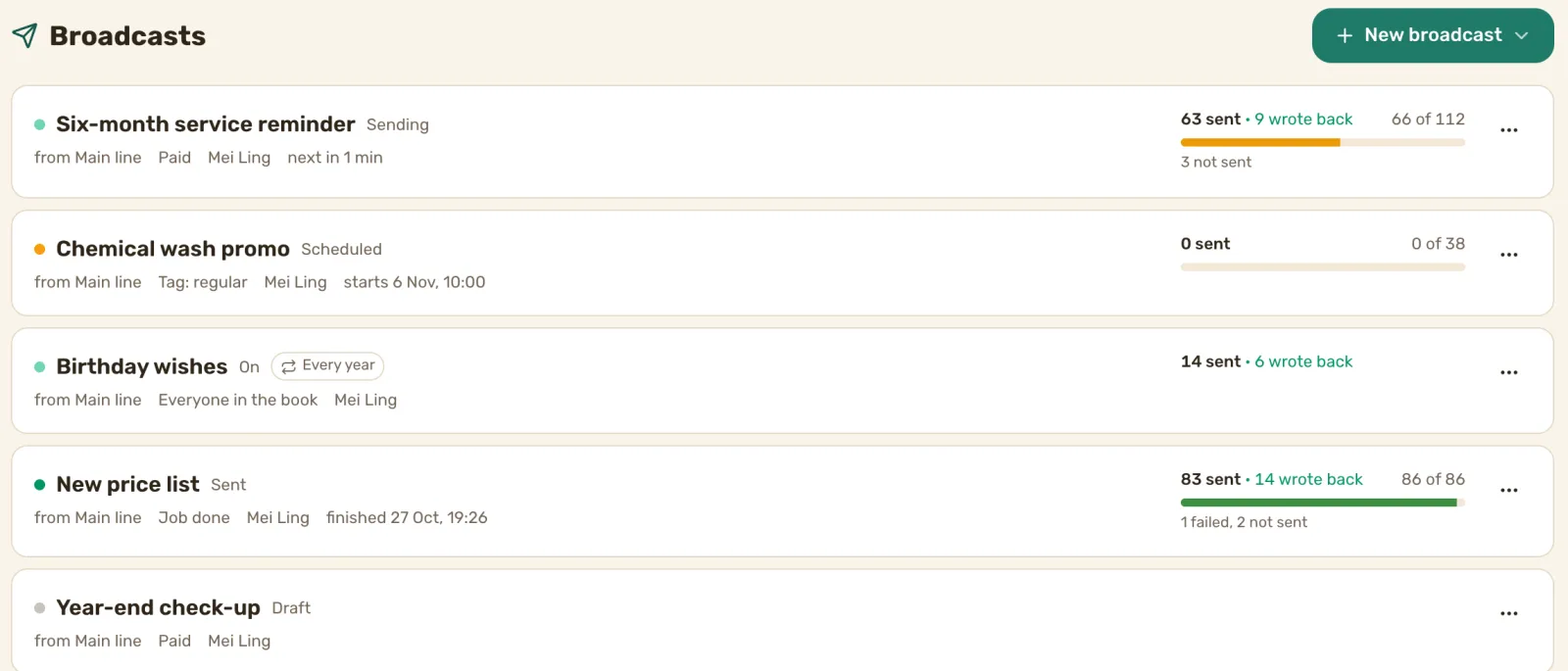
Message the customers whose job is done, not everyone
Most customers book once and never hear from you again. Texting them one by one from the shop phone takes an afternoon, so it never happens.
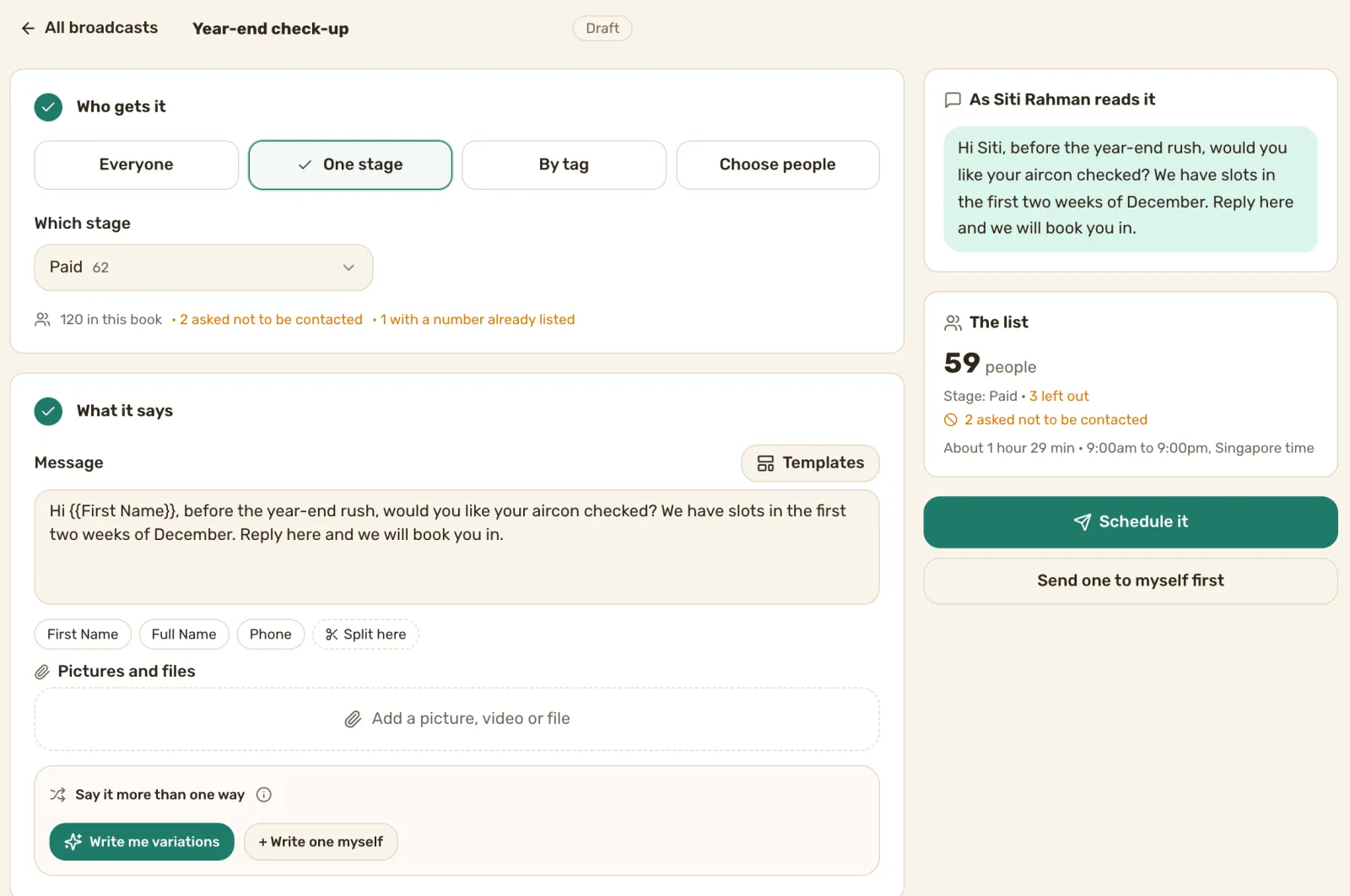
Here, you send it to everyone in your book, one stage of your job board, a tag, or people you pick. A six-month service reminder goes to Paid. A promo goes to the customers you tagged regular.
Write it once, and each customer sees their own name
Put their first name in with one click, and add a picture or a file. Write two or three versions of the message, or ask for some, and each customer gets one of them.
See exactly who gets it before you send
Before it goes, you see how many people are on the list, how long it will take and how it reads to one of them. Customers who asked not to hear from you are left out, and so is a number listed twice. Send one to yourself first if you want to check it on your phone.
Set the time once, and it goes out in your sending hours
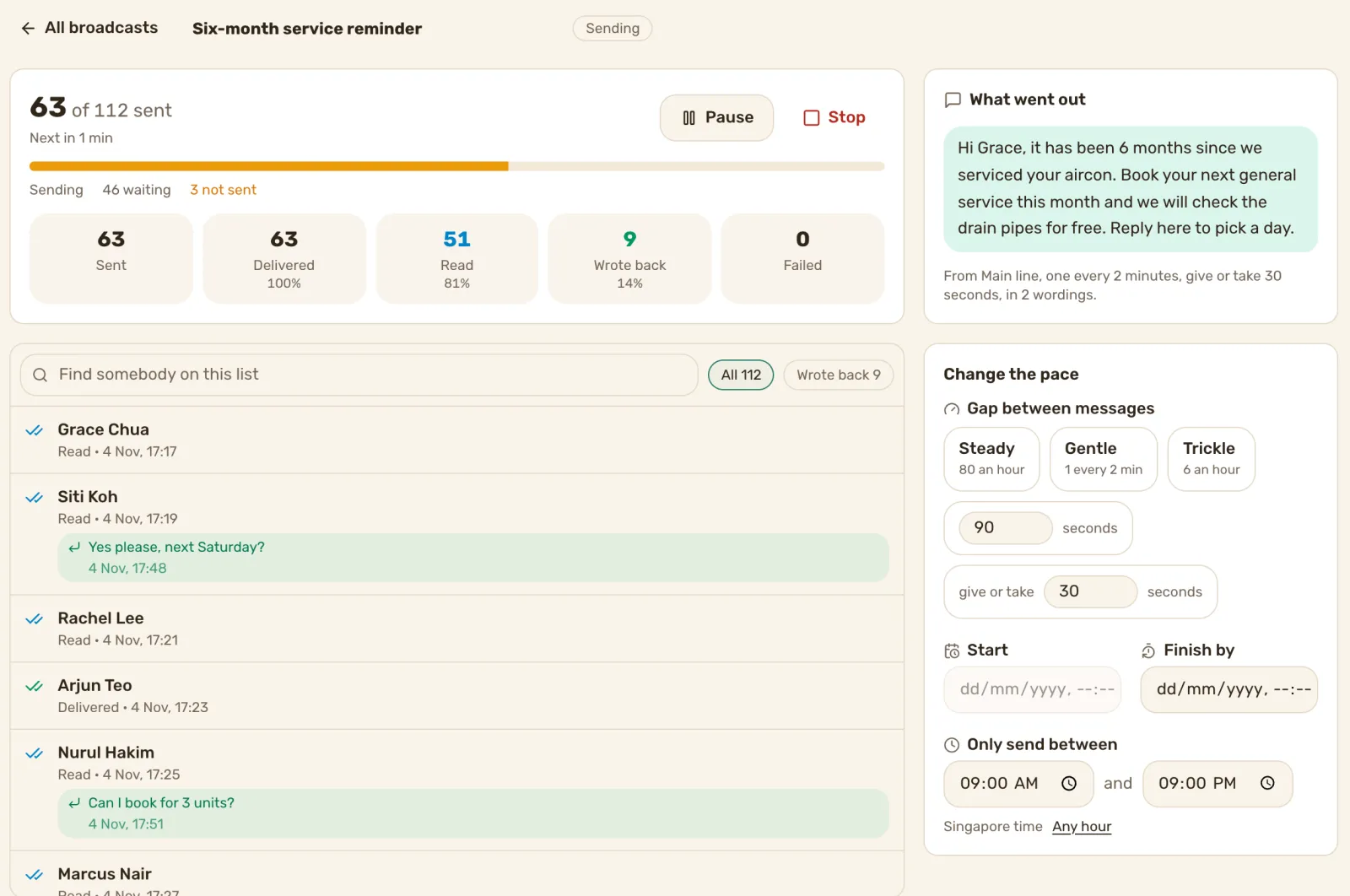
Pick a start time, and a finish time if you want one. Messages go out one at a time, with a gap between each. Your number’s sending hours start at 9am to 9pm Singapore time, and a broadcast waits outside them. It also stays inside your number’s daily limit, while replies to customers who just wrote never wait. Pause it or stop it whenever you like.
Every reply lands in your shared inbox
A customer who writes back lands in the inbox, filed against their lead, so your team answers them like any other chat.
See who wrote back
Each broadcast shows how many went out, who read it and who wrote back, with each reply beside the customer’s name. Tap Wrote back to see only them.
Wish every customer a happy birthday, every year
Turn on birthday wishes, and every customer with a birthday on their card gets your message on the day.
Here’s how we set you up
Book a demo call. Tell us who you want to reach and what you want to say.
We connect your number and set your sending hours and daily limit.
You write the message, pick the customers and set the time.
What it costs
Prices are in Singapore dollars. The first price is on an annual plan, and month to month is in brackets.
- WhatsApp Inbox: S$119 a month (S$149). Broadcasts and scheduled sends, one number and three people.
- Inbox + AI Agent: S$239 a month (S$299). Everything in WhatsApp Inbox, plus an AI agent that answers new enquiries.
Extra person S$15 a month. Extra number S$29 a month. No setup fee.
See full pricing
Questions
Which plans include broadcasts?
Can I schedule a broadcast for later?
Will it message customers late at night?
What about customers who asked us to stop?
Do I have to set it up myself?
One message, every reply in your inbox. Book a demo call.
We’ll show you a broadcast going out on a call, and the replies coming in. See pricing
Already a customer? Find how-to answers or get support