
Customers book on WhatsApp, and the job lands in your diary
Your WhatsApp AI agent offers times you’re really free, books the one the customer picks and reminds them before the visit. Your team stays on the job.
What your team sees
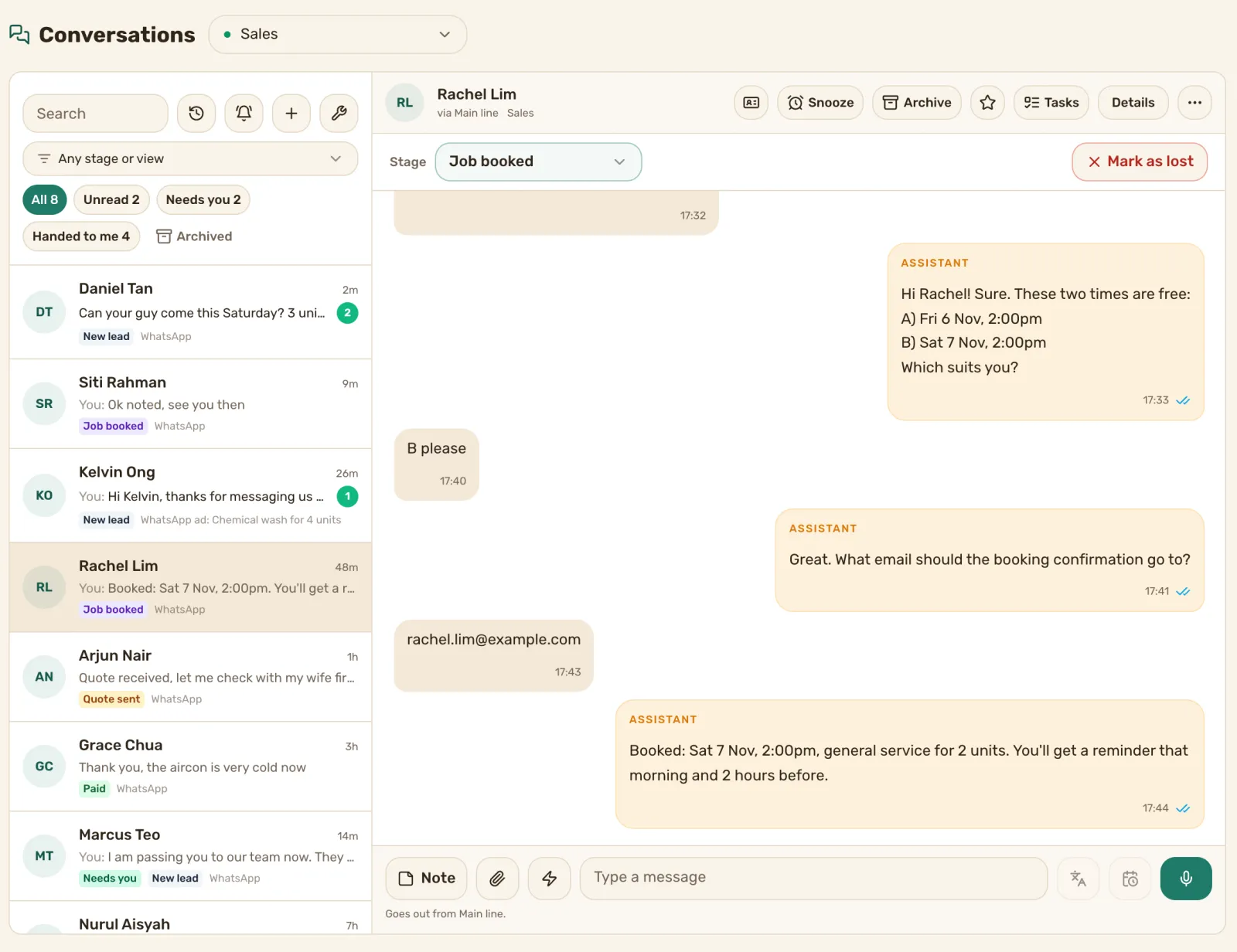
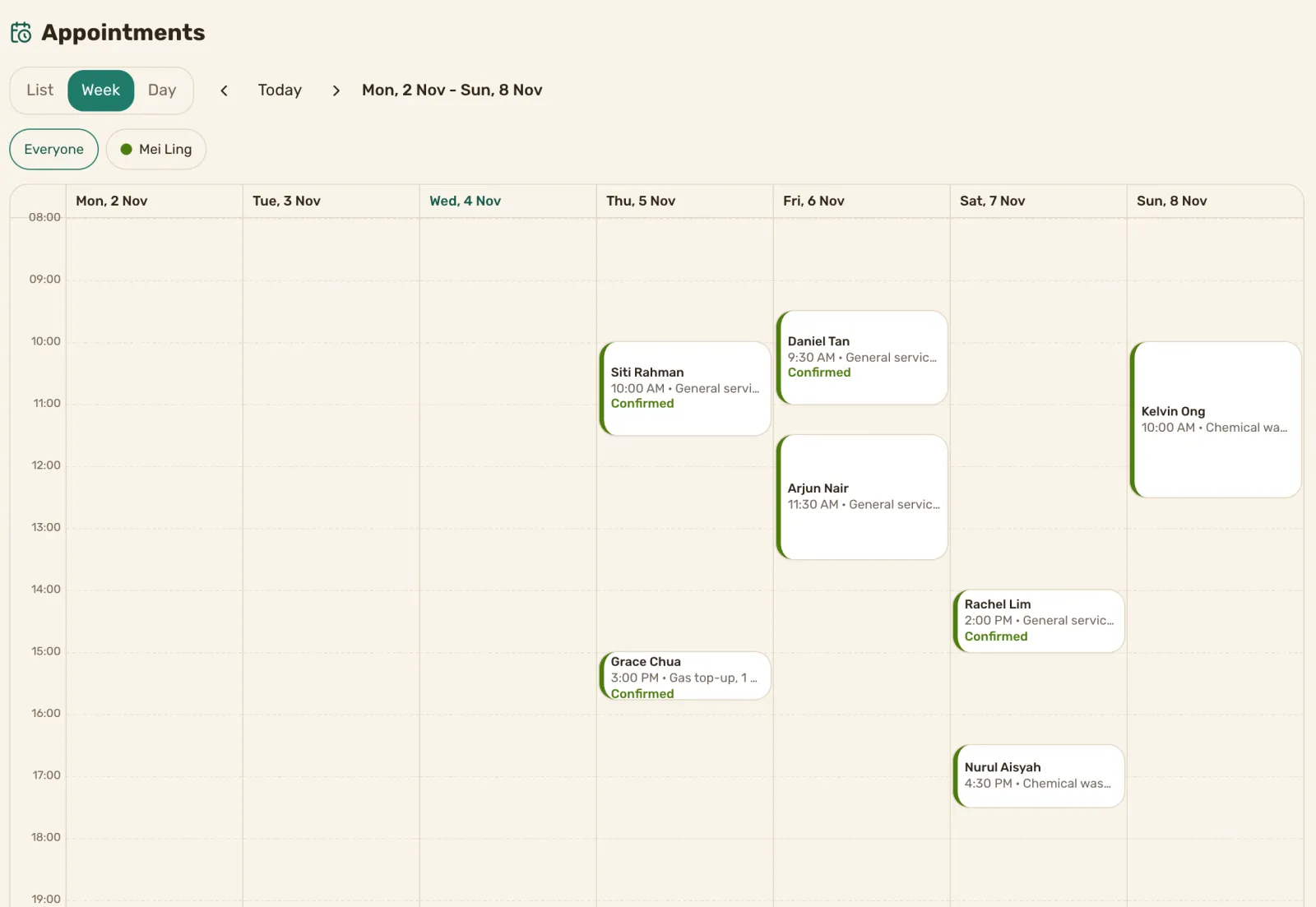
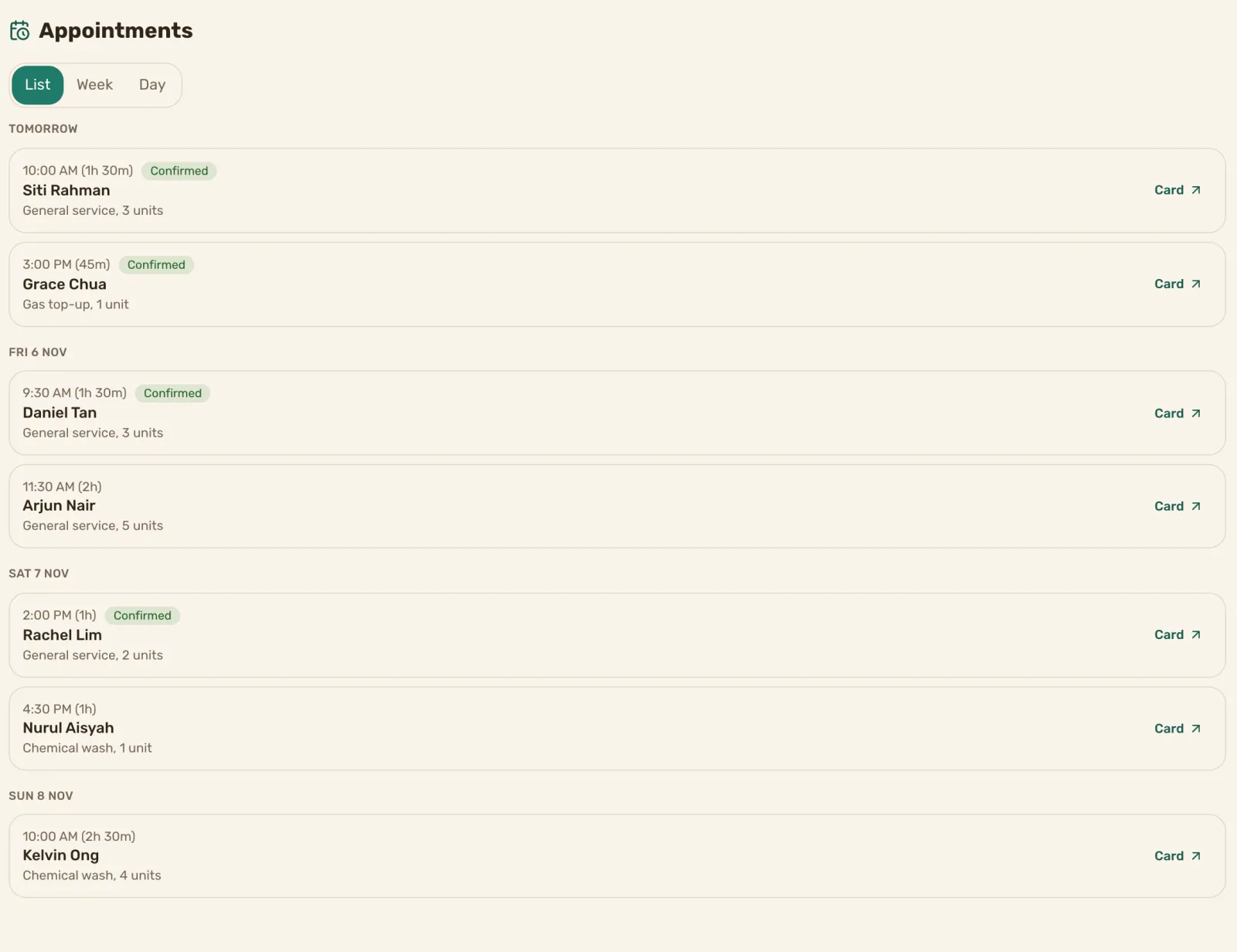
Books on WhatsApp, from your real free times
Booking one job on WhatsApp can take six messages. Which day, which time, that one’s taken, how about later. Your team does it between jobs, and the customer waits.
Now a customer asks for a slot. The agent looks at your booking page and offers times that are free. Each time is checked against your diary again before the message goes out. The customer picks one, and it’s booked.
- Your booking page’s hours, gaps between jobs and notice period all apply
- The customer gets a confirmation email from the booking page
- If your team doesn’t have their email yet, the agent asks for it
Reminders that don’t depend on someone remembering
The agent reminds the customer on WhatsApp the morning of the visit and again 2 hours before. Change the times, add up to 4 reminders and write them in your own words.
Let customers move or cancel without calling
A customer who needs another time says so in the chat. The agent finds a new free time and moves the booking, or cancels it if they ask.
What the agent does and what your team does
The agent handles the back and forth about times. When a customer asks something it shouldn’t answer, like a quote for a repair it hasn’t seen, it hands the chat to your team with the whole thread. Every booking shows on the lead’s card and in your appointments list.
A booking page for your jobs, set up for you
Bookings go on a Pick a Time booking page with your hours and how long each job takes. Our team sets it up for you. Each business on the plan needs its own page.
Here’s how we set you up
Book a demo call. Tell us your jobs and how long each one takes.
We set up your booking page and the agent, and connect your WhatsApp number.
Customers book in the chat, and your team sees every job in one list.
What it costs
Prices are in Singapore dollars. The first price is on an annual plan, and month to month is in brackets.
- Growth: S$590 a month (S$740). Up to 1,000 new conversations a month, booking with reminders, and a shared inbox for 5 people.
- The plan for up to 3 numbers: S$990 a month (S$1,240). Up to 3,000 new conversations, booking with reminders, chats assigned to the right person and a shared inbox for 10 people.
Booking isn’t on Starter or on the Inbox + AI Agent plan. Meta’s WhatsApp message fees are passed through at cost.
See full pricing
Questions
Can the agent offer a time I’m not free?
Can I change the reminders?
What does the customer need?
Can a customer change the time later?
Do I have to set it up myself?
Watch a booking get made. Book a demo call.
We’ll show you a booking made in the chat, from the first message to the reminder. See pricing
Already a customer? Find how-to answers or get support